Agent Guide
From creating users to client usage, get the full workflow done in 3 minutes
Create User
Send Link to Client
Help Client Configure OpenClaw
Client Tops Up & Uses
Auto Commission
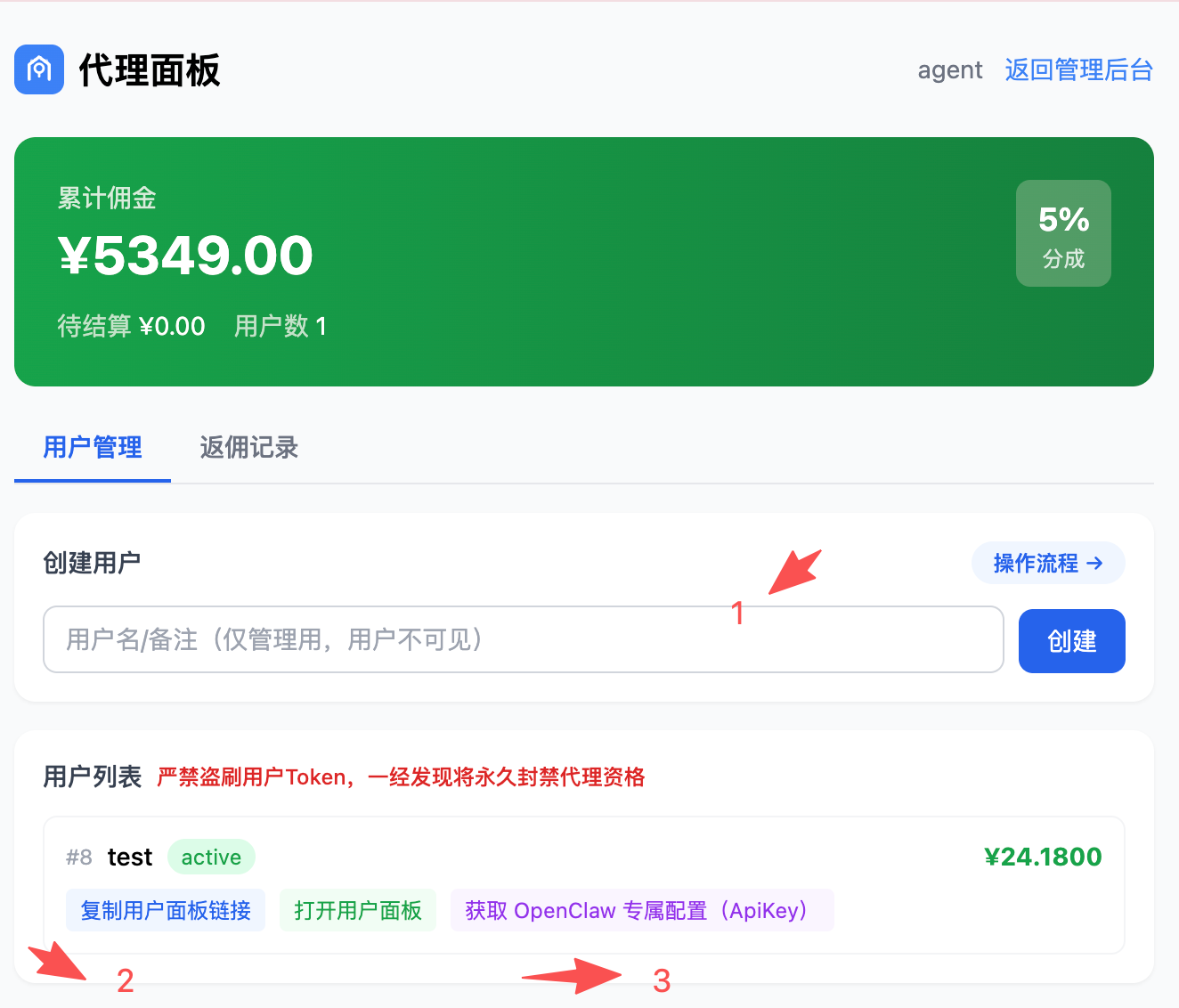
1
Create User
Enter a username/note (visible only to you, not the client), then click "Create". The system will auto-generate a dedicated API Key and user panel link for this user.
2
Copy User Panel Link
Click "Copy Link" and send it to your client. They can view balance, switch models, and submit top-up requests — no registration or login needed.
3
Get OpenClaw Config (ApiKey)
Click "OpenClaw" to open the config popup with the user's Base URL, API Key and full configuration. Follow the instructions to set it up in OpenClaw.
Client doesn't know how to use it?
Send the user guide to your client to help them top up and switch models on their own.